.png)
Jira and Confluence have become essential to how my team works. From planning to documentation, we rely on them every day. But with that constant activity comes something I didn’t expect attachment overload.
Over time, our projects became cluttered with screenshots, PDFs, and outdated files. It slowed things down, made important attachments harder to find, and even impacted storage. Cleaning things up manually? A nightmare. That's when I discovered Vamhi Easy Attachment.
Honestly, the difference was immediate. Vamhi Easy Attachment gave me all the tools I needed to finally clean up and organize our attachments without wasting hours.
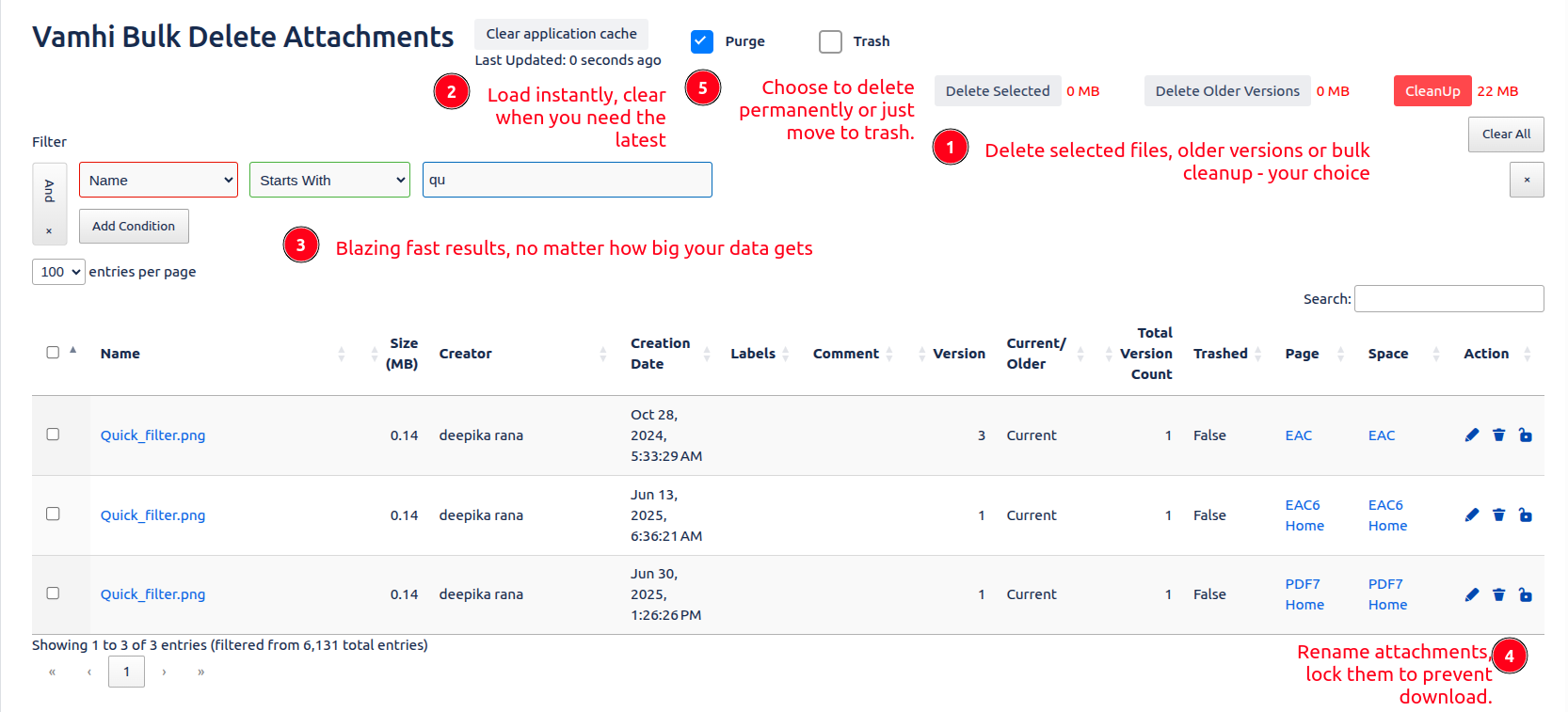
Here’s what I love most:
I can select multiple files and delete them all at once no more clicking through each attachment. Our Confluence pages and Jira issues look so much cleaner now.
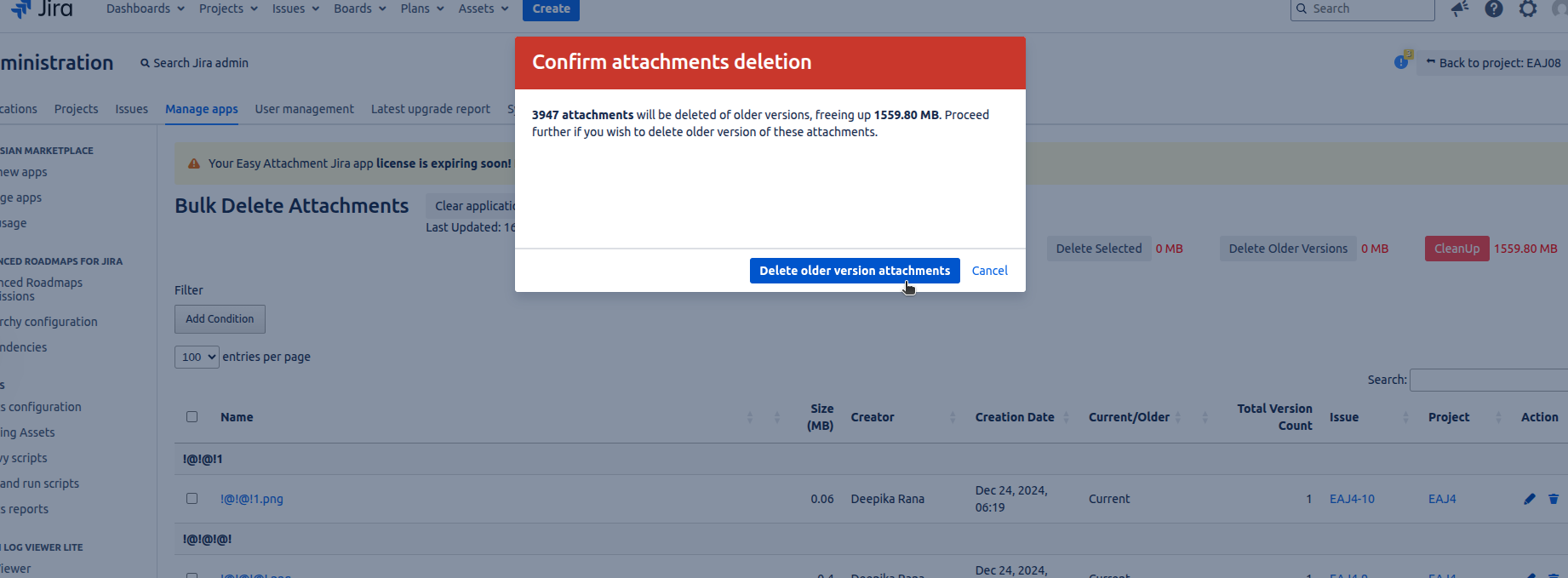
It even helps me find and remove duplicates that were just taking up space. I didn’t realize how many near-identical screenshots we had until this feature pointed them out.
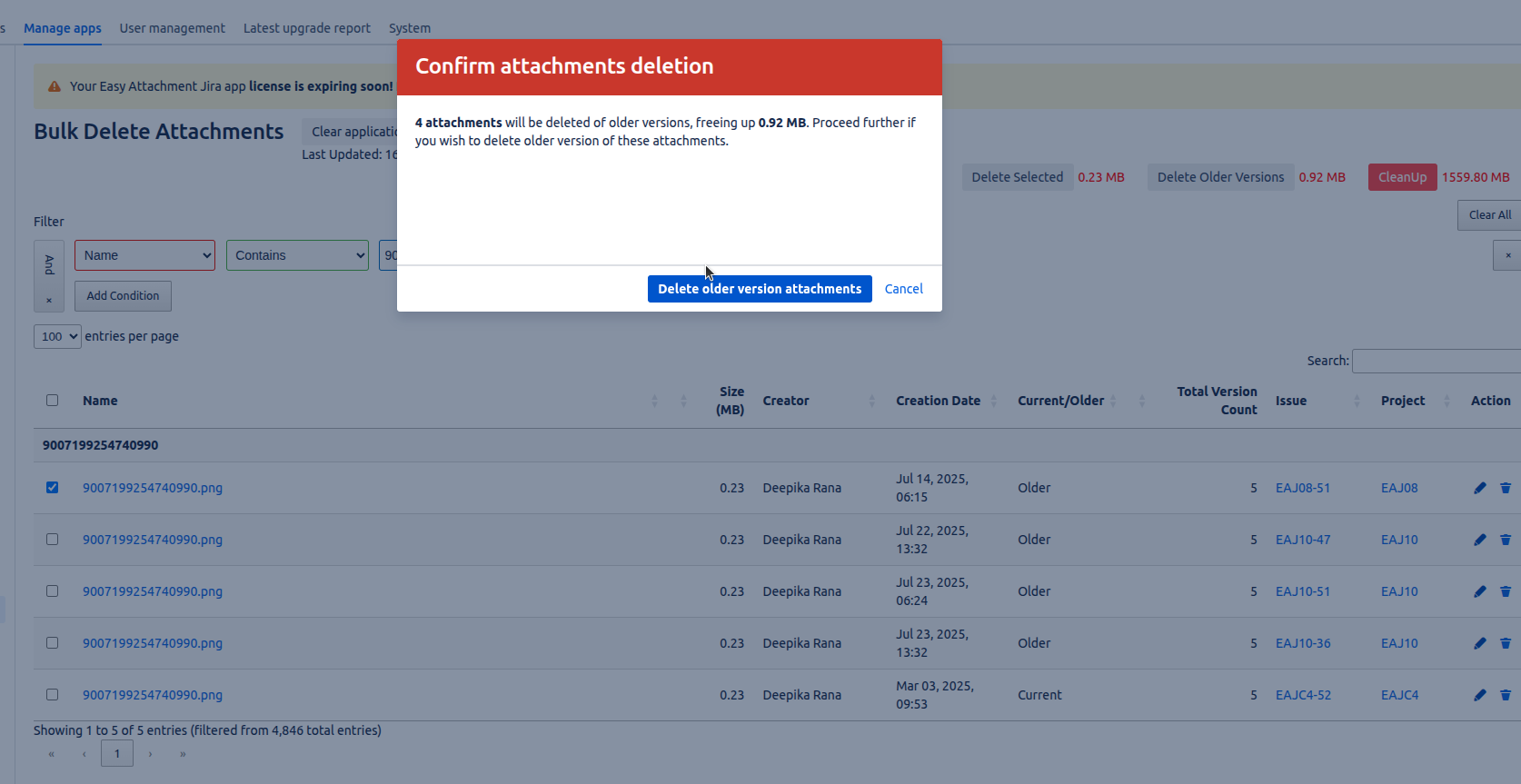
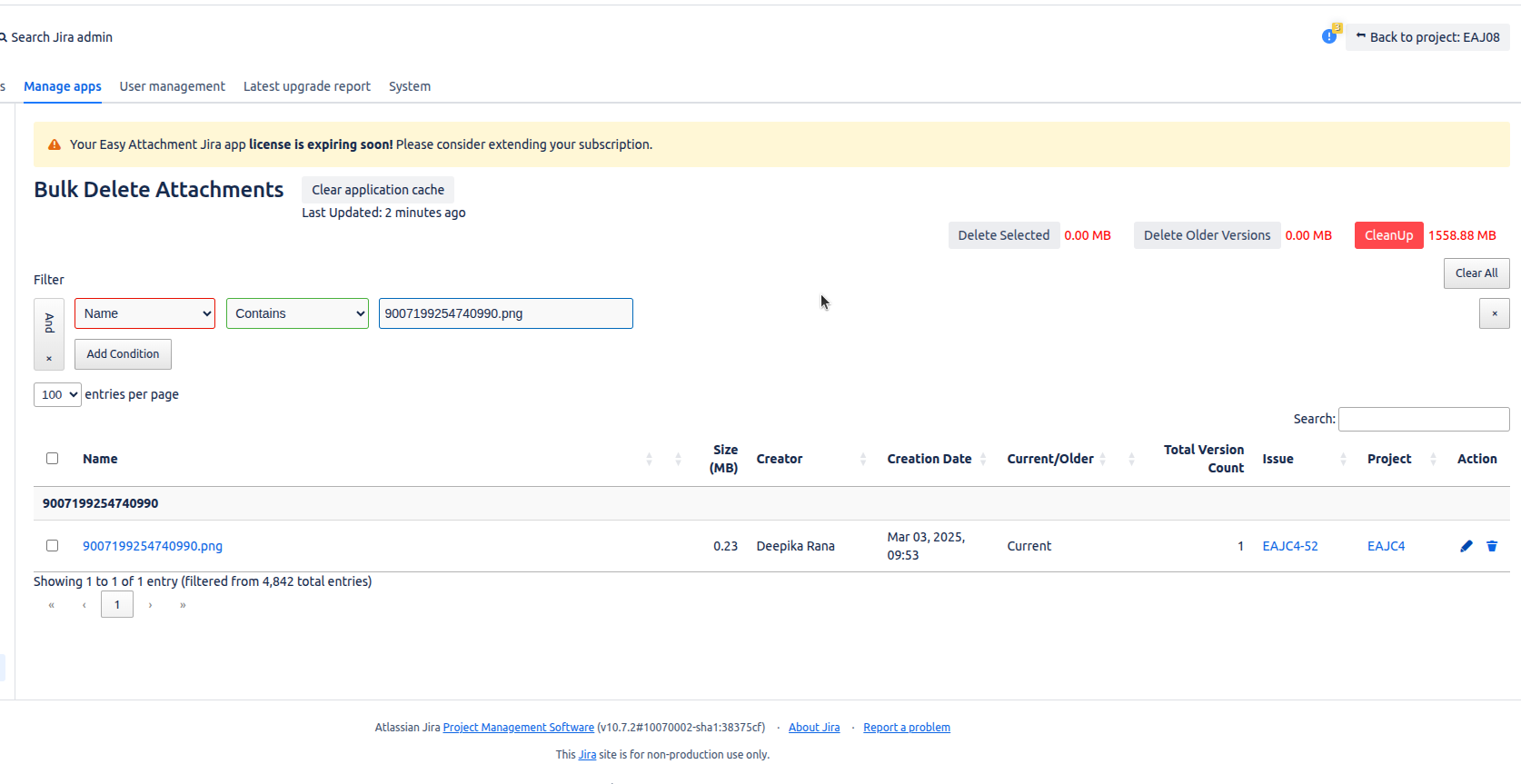
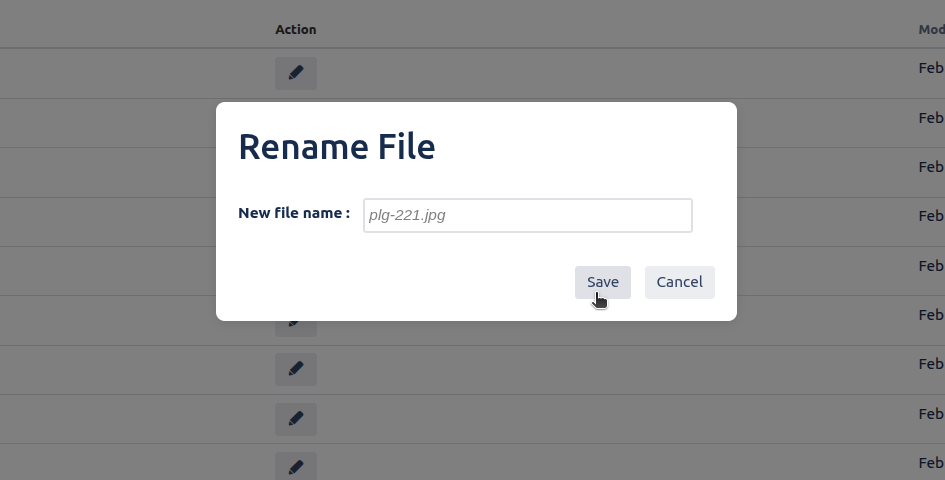
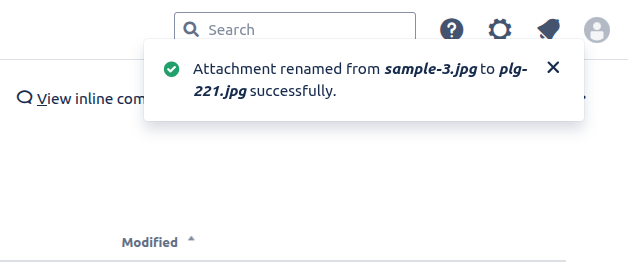
Now, I rename files right inside Jira or Confluence, so attachments actually have meaningful names like error-log-April instead of image123.png.
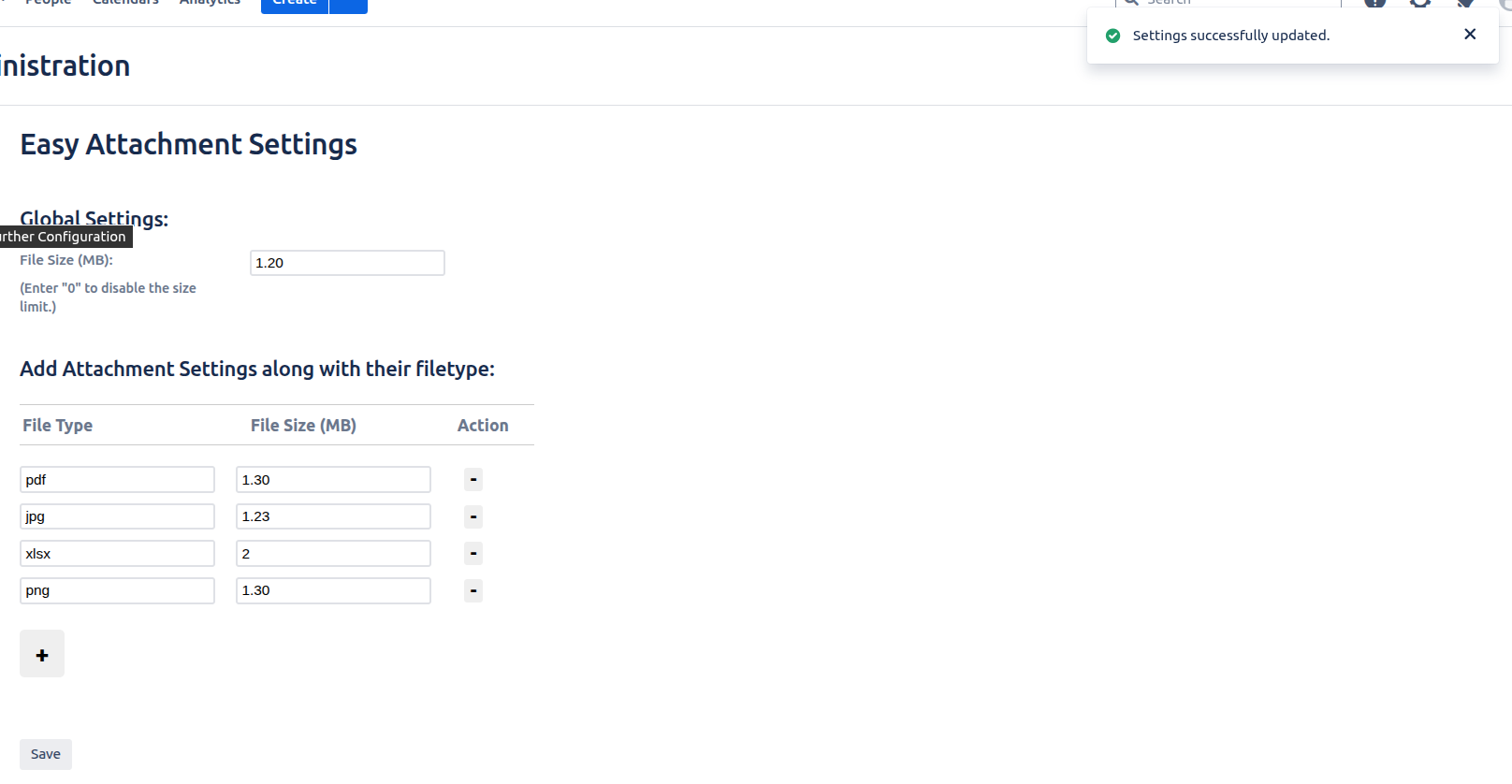
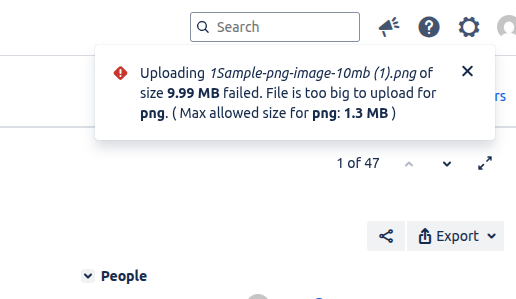
We set limits on file sizes to avoid huge uploads slowing everything down. It’s a small setting that made a big difference in performance.
Some files just shouldn’t be touched especially sensitive or approved content. With locking, I make sure only the right people can download them.

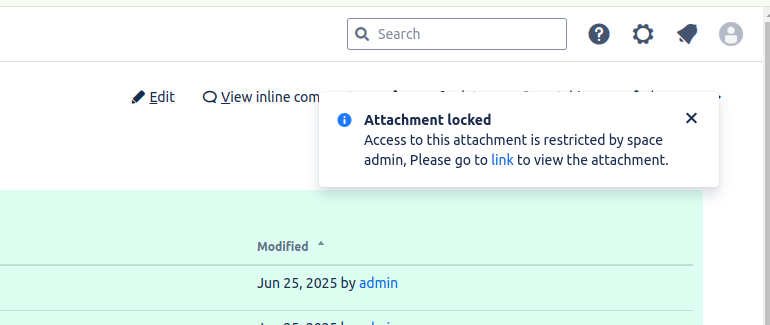
One of the best things? I can manage attachments no matter where I am in Jira or Confluence.
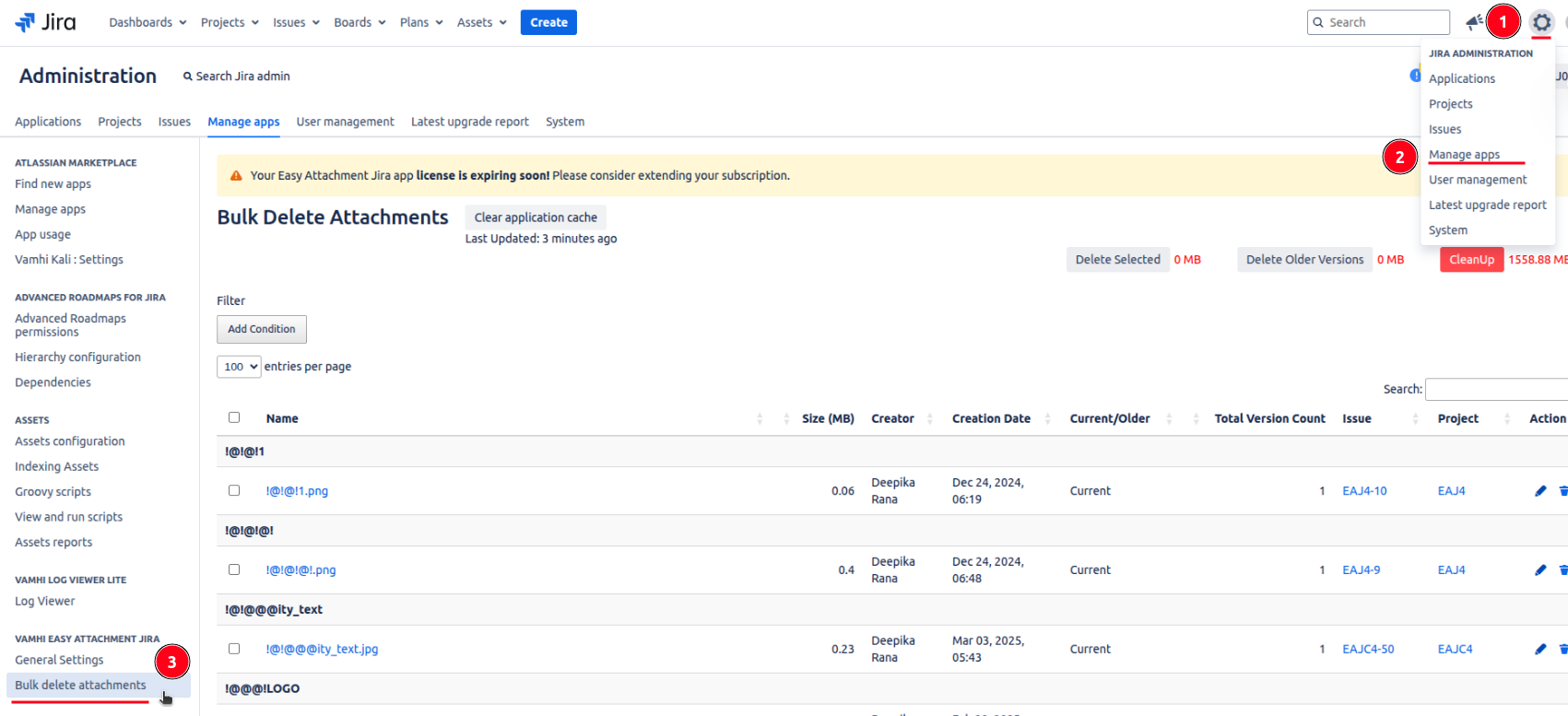
In Jira, it’s available at the project, issue, and global levels.
Global Level
Go to manage apps of your settings → click bulk delete attachments.
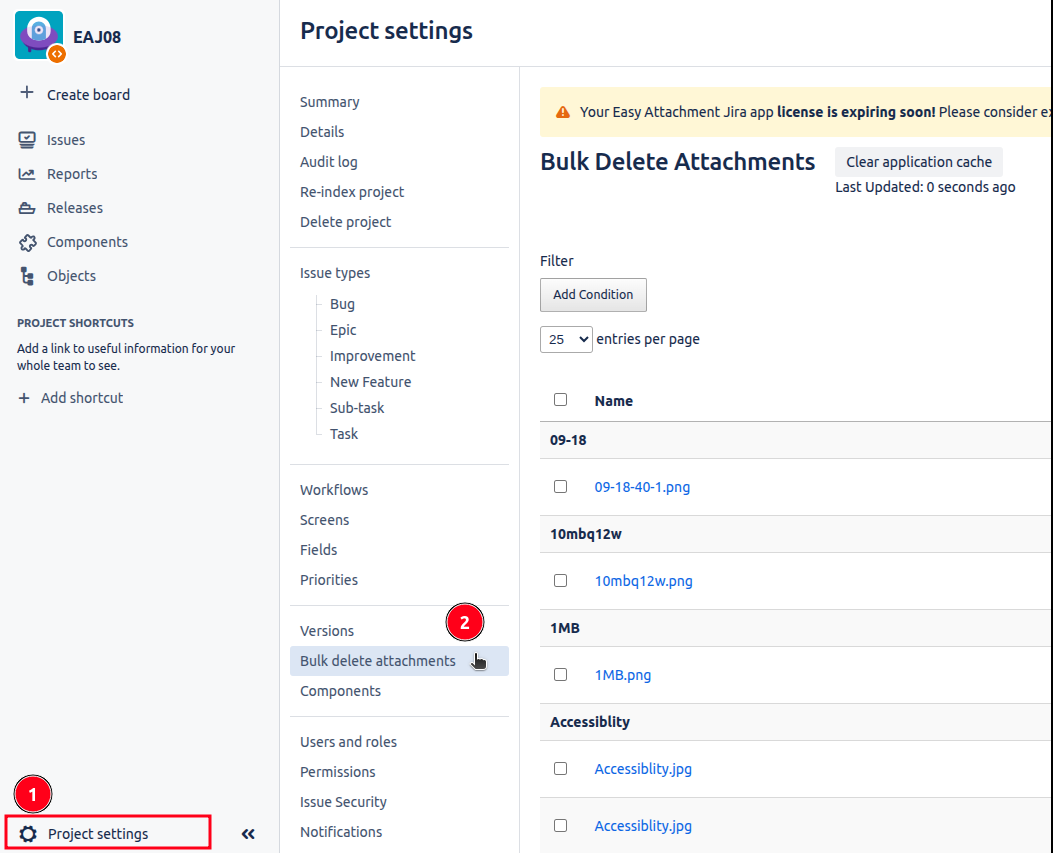
Project Level
Go to your project settings → click bulk delete attachments.
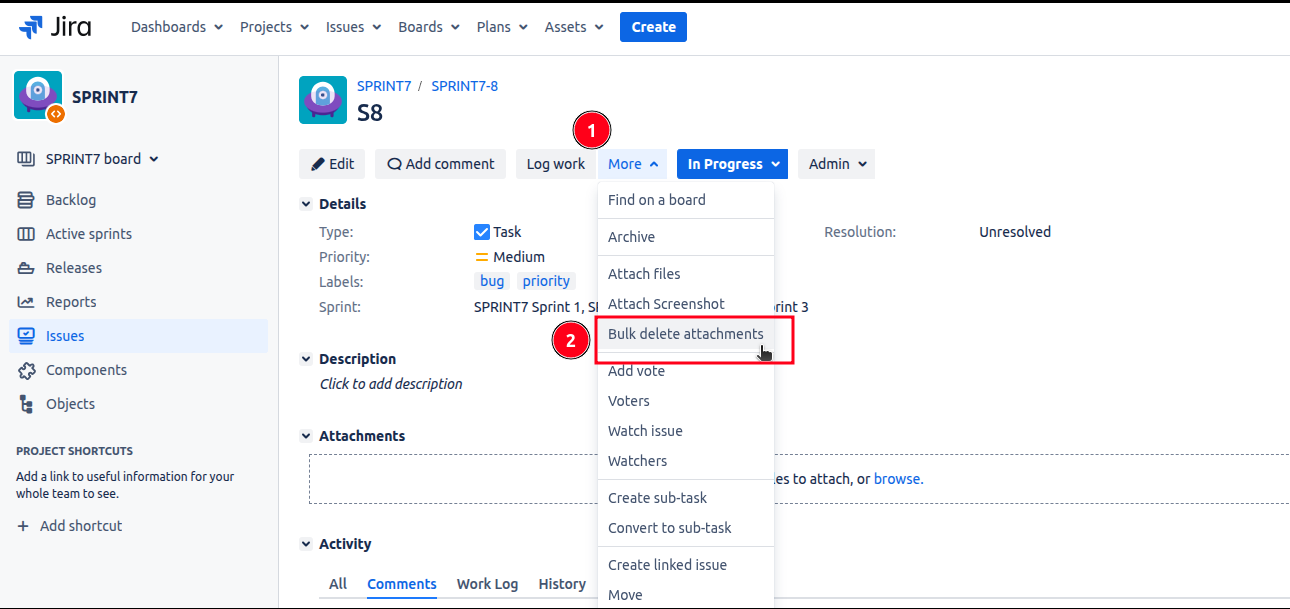
Issue Level
Go to your issue → click more → click bulk delete attachments.
In Confluence, it works on the page, space, and global levels.
Global Level
Go to manage apps of your settings → click bulk delete attachments.
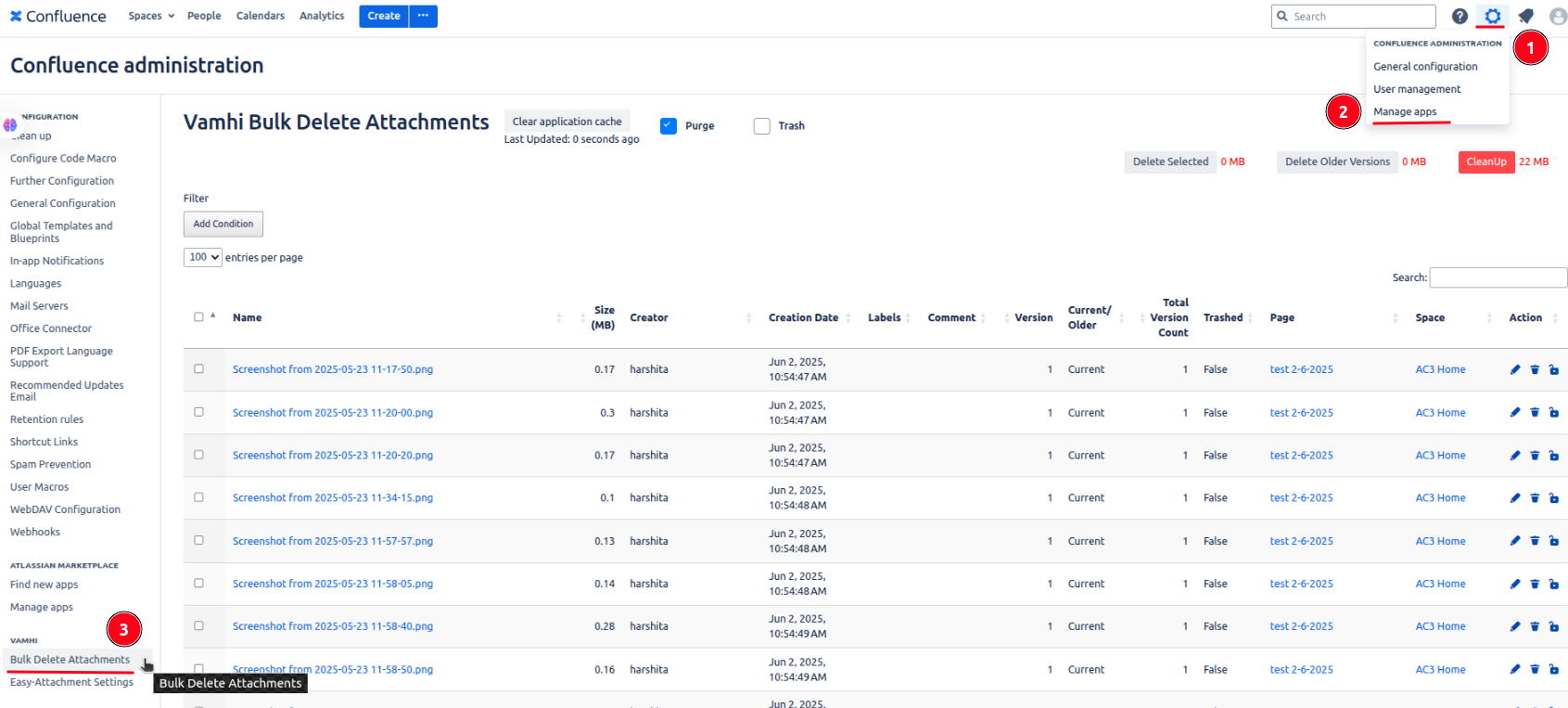
Space Level
Go to space settings of your space → go to integrations → click bulk delete attachments.
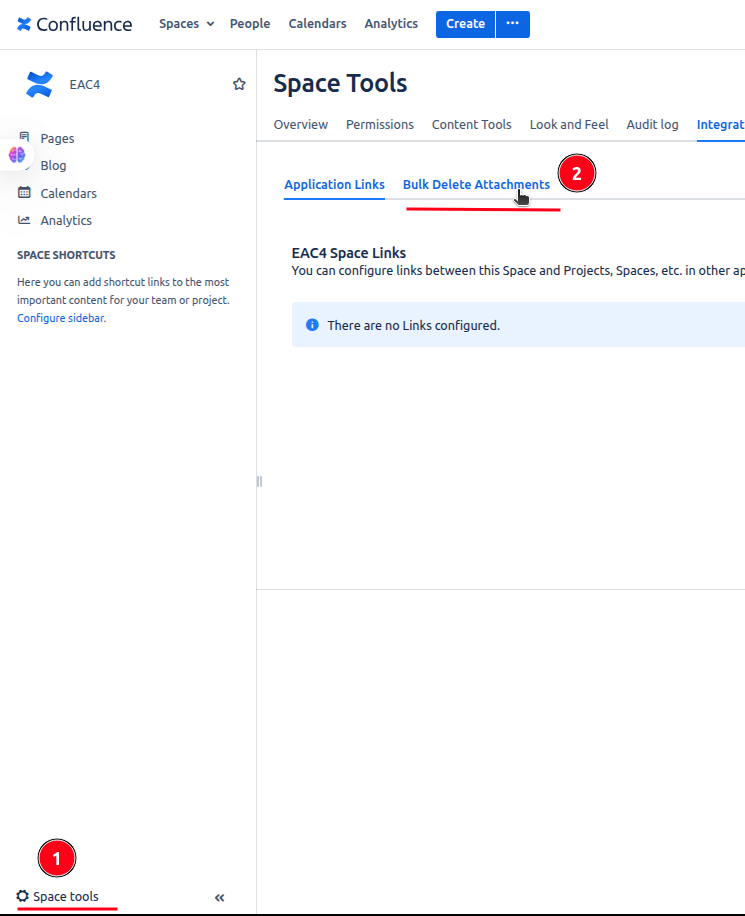
Page Level
Go to your confluence page → click on triple dot icon appears at top right corner → click on bulk delete attachments.
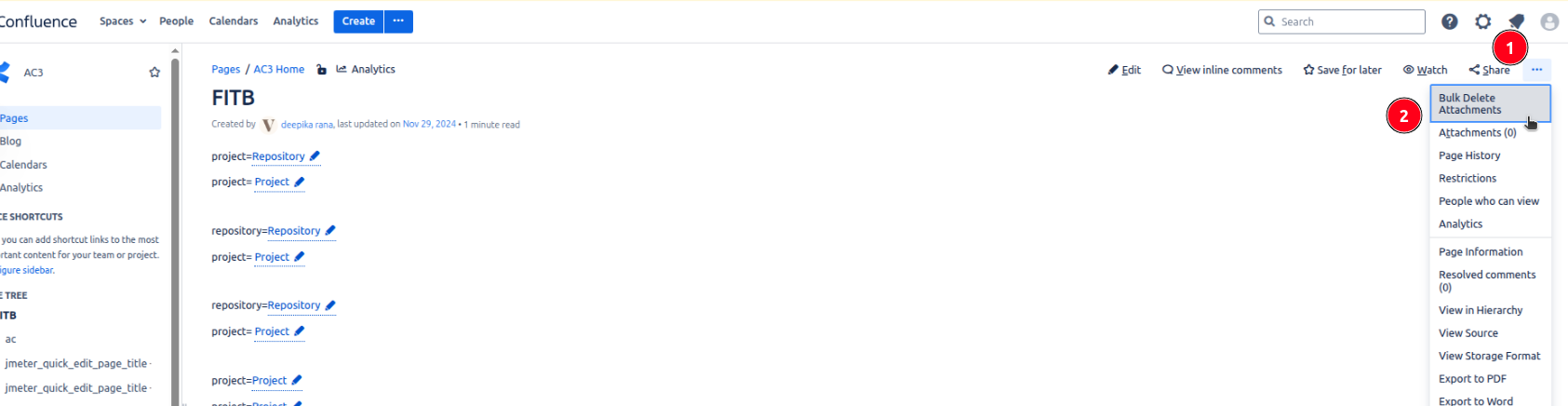
That means whether I’m cleaning up a single issue, a space-wide documentation dump, or handling admin cleanup across the site I can delete, rename, or lock attachments from anywhere.
One of the things that impressed me the most? How fast everyth
ing loads even with millions of attachments.
Vamhi Easy Attachment doesn’t just rely on brute force. It uses a smart caching system to quickly load data, and processes everything in manageable batches. The result? I get a lightning-fast response every time, without freezing up the UI or overloading the system.
Even when working with massive projects or large Confluence spaces, performance never slows down and that’s a game changer.


Even under active usage, our plugin demonstrates exceptional memory efficiency.
State | Used Memory | Free Memory | Total Memory |
|---|---|---|---|
✅ Without Plugin | 737 MB | 1311 MB | 2048 MB |
🧩 With Plugin | 744 MB | 1304 MB | 2048 MB |
🔍 Memory Overhead: Only 7 MB increase that’s just 0.34% of the JVM heap.
🧠 64% Free Heap remains untouched, proving how minimal and optimized the plugin is.
📈 Seamless performance with no garbage collection stress or spikes.
Built for performance. Engineered for efficiency.
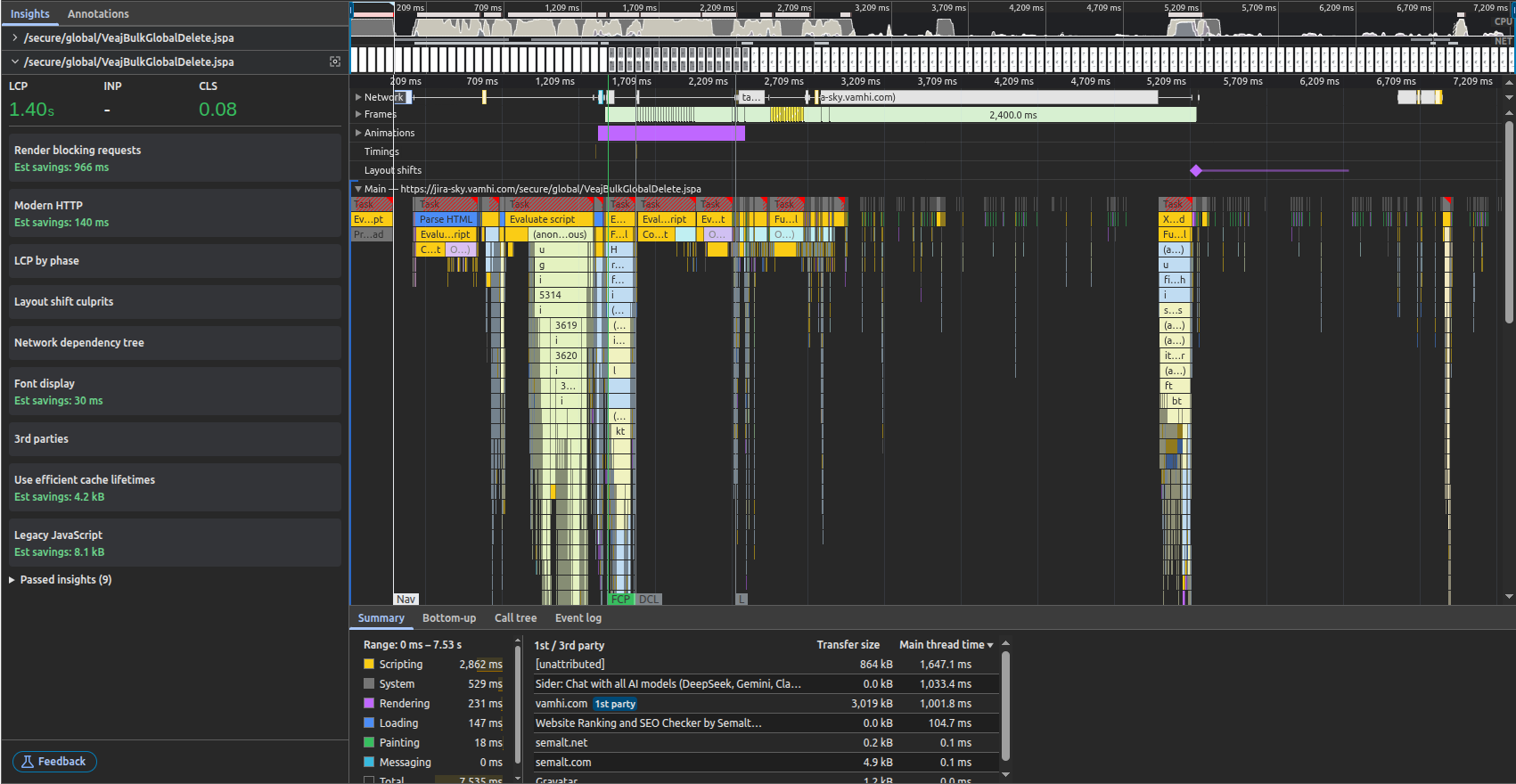
Largest Contentful Paint was hit at 1.40 seconds, well below the 2.5s “good” threshold.
This proves that the page's most important content became visible very quickly.
🟢 Google considers LCP < 2.5s as excellent. You’re faster than that.
Cumulative Layout Shift is just 0.08 well within the “Good” range (≤ 0.10).
Means your page is visually stable, without unexpected jumps while loading.
No render-blocking JS/CSS delaying page load.
Estimated savings: 966 ms shows your optimization game is strong.
Uses modern HTTP protocols, reducing connection overhead (140 ms savings).
Shows backend + network stack are well-tuned.
The total time to full interactive (TTI) is under 7.53 seconds.
This includes everything: scripting, network, rendering, etc.
Phase | Time |
|---|---|
Scripting | 2.8s |
System | 0.5s |
Rendering | 0.2s |
Loading | 0.1s |
The scripting load is well-contained.
No major delays from rendering or layout recalculations.
First-party domain vamhi.com had ~3 KB transfer in 1s — super lean.
No bloated trackers or heavy analytics slowing things down.
FCP (First Contentful Paint) hits around 1.2s
DCL (DOMContentLoaded) just after 2s
Indicates good separation of loading and execution phases.
Scenario | Metric |
|---|---|
Load 5000 attachments | 1.2s (measured via |
XHR requests per 1000 attachments | ~35–38 KB, < 3s load time per batch |
Total API throughput (5000+) | All batches fetched in ~7–12 seconds |
Attachment search filter response | < 400 ms |
Easy Attachment gave me back control. No more clutter, no more wasted time hunting for files, and our team can actually find what they need, when they need it.
If you’re feeling the same attachment overload, I highly recommend trying it out. There’s a free trial and once you use it, you won’t go back.
👉 Try Easy Attachment for Jira and Easy Attachment for Confluence, the tools that made attachment management simple again.
🔍 Bulk delete, rename, restrict, and clean up files all inside the Atlassian tools you already use.
